
Most “LinkedIn scraping tools” lists rank products by feature count. That's a poor way to choose. What matters is the workflow you need and the account, data, and compliance risks you're willing to accept.
A quick CSV export, a recurring enrichment pipeline, a developer API, and an outreach sequence are different jobs. A tool that's convenient for one can be cumbersome or risky for another. This guide groups the options by how you'd use them, from one-off exports to LinkedIn's native prospecting route.
No scraper is risk-free. Tools that automate activity through your LinkedIn account can expose that account to restrictions, while tools that collect or supply data raise separate questions about provenance, permitted use, and privacy obligations. Treat those issues as selection criteria, not fine print.
Use the verdicts to narrow the field: choose the tool that matches your workflow, then test its output and operating requirements before building around it. The best LinkedIn scraping tools aren't necessarily the ones with the longest feature list. They're the ones whose limits you understand and can live with.
#Table of Contents
- 1. Fetchin
- 2. PhantomBuster
- 3. Evaboot
- 4. Apify
- 5. Bright Data
- 6. Octoparse
- 7. Waalaxy
- 8. Captain Data
- 9. Scrapingdog
- 10. TexAu
- 11. LinkedIn Sales Navigator
- 11 LinkedIn scraping tools compared at a glance
- Choosing Your Tool and Getting Found After the Data Is In
#1. Fetchin
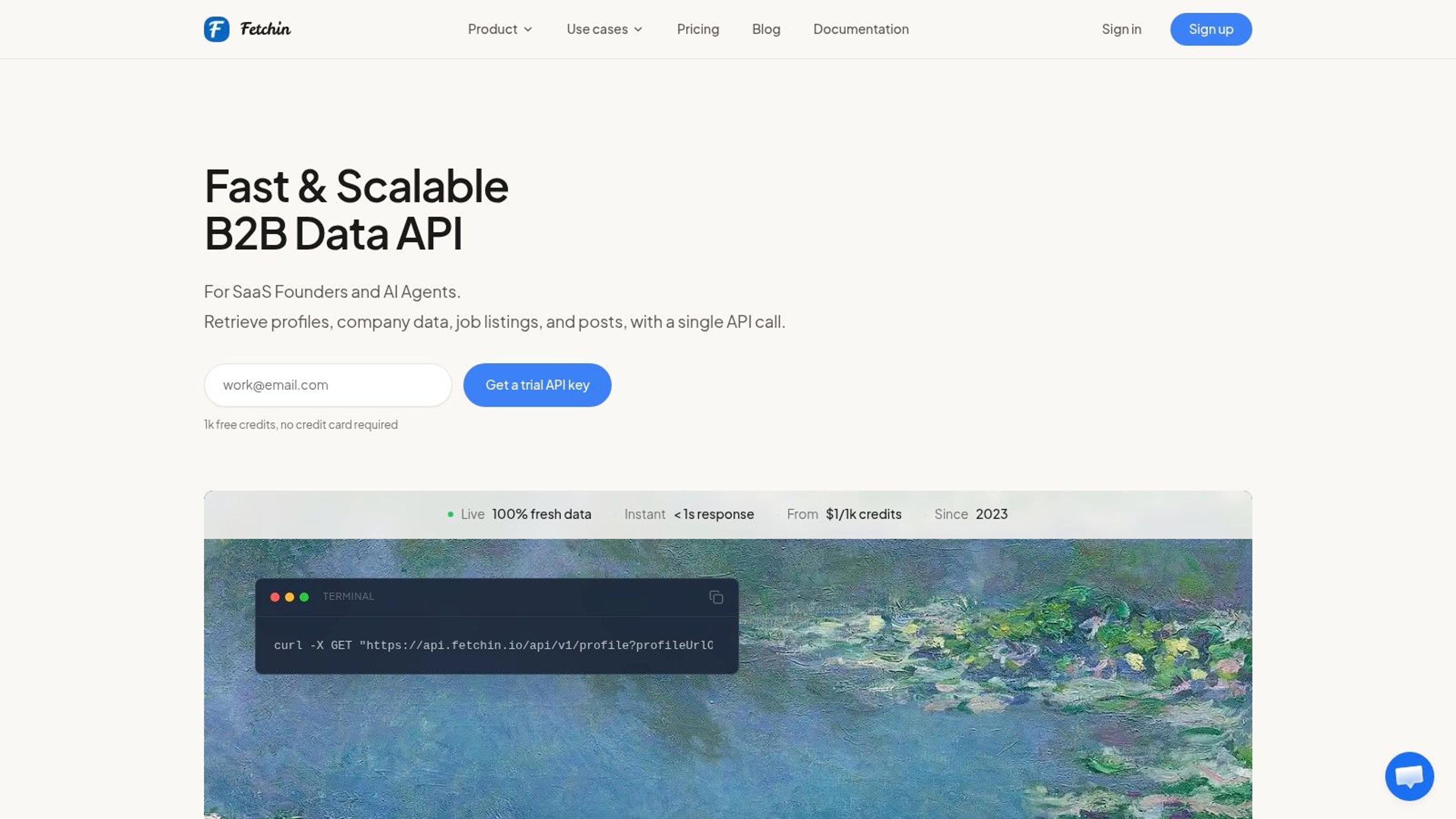
A spreadsheet export is the wrong shape for a software feature. If your product needs to look up a professional or company from a URL and use the result immediately, Fetchin is the API-first option in this list. It returns structured JSON from a submitted profile or company URL, which means your application can process fields directly rather than rely on someone to download, clean, and upload a file.
#Where a live lookup helps
Fetchin's profile endpoint is designed to return structured professional information, while its company endpoint covers firmographic details. It also offers endpoints for posts, comments, and reactions, useful when an application needs engagement data alongside profile or company records. Synchronous responses suit request-and-response product flows; asynchronous delivery can fit jobs where a user doesn't need the result immediately.
The practical distinction is live retrieval on request, rather than a data snapshot collected earlier and served later. That can be useful when stale job titles or company details would undermine matching or enrichment. A consistent schema also reduces the custom parsing work developers face when they combine several data sources.
Fit check: Choose an API because your product needs data in a defined workflow, not just because it sounds more scalable than a spreadsheet.
#Trade-offs and verdict
An API still leaves you responsible for what you request, how you store the result, and whether your use is permitted. Public availability alone doesn't settle privacy, contractual, or retention questions. Review the provider's sourcing and data-handling terms, and limit your integration to fields your feature needs.
Fetchin makes the most sense for product and engineering teams building profile or company enrichment into an application, especially when they need structured responses and don't want to maintain their own parsing pipeline. It's less compelling for a salesperson who only wants a one-time lead list. Confirm the endpoint coverage, response behavior, and data terms against your actual use case before you commit.
#2. PhantomBuster
PhantomBuster is for people who want extraction to trigger the next step. Its cloud-based automations can connect a LinkedIn-related export to enrichment and a CRM handoff, making it more of a workflow builder than a simple list downloader. Explore the PhantomBuster platform if your process involves several connected actions and you'd rather configure them than write the orchestration code yourself.
Prebuilt workflows lower the barrier to getting started, and CSV or JSON output gives teams options for moving data into other systems. The trade-off is that each additional automation adds setup and monitoring. Execution capacity and simultaneous runs can become constraints, so test your actual workflow rather than assuming a template will handle your whole process.
PhantomBuster is a reasonable fit for operations or growth teams coordinating repeatable tasks across tools. It's overkill for an occasional export, and cloud execution doesn't remove the risks of LinkedIn-related automation. Be clear about which actions run through your account, what data they touch, and what happens when a run fails or needs to be repeated.
#3. Evaboot
Evaboot is the focused choice for Sales Navigator users who want a cleaner export, not a general-purpose scraping stack. It takes prospect searches or lists and turns them into downloadable files, with cleanup and checks intended to catch leads that don't match the search filters. The Evaboot website also describes professional email finding as part of its credit-based workflow.
That filter check is useful because exported lists can contain records that need review before they're ready for outreach. Cleaning names and company fields can also reduce the manual work between a search and a CRM import. Still, email availability and accuracy can vary, so validate addresses before relying on them for a campaign.
The main drawback is the dependency: you need Sales Navigator as well as Evaboot. Export volume also depends on the limits and access available in LinkedIn's product, so don't treat the tool as a way around those constraints.
Choose Evaboot when your team already searches in Sales Navigator and spends too much time correcting exports. Skip it if you need a general API, ongoing product enrichment, or a one-off solution that doesn't depend on a separate subscription.
#4. Apify
Apify is a marketplace rather than a single LinkedIn scraper. Its reusable tools, called Actors, cover different extraction jobs, and their capabilities can vary. One may focus on profiles, another on companies or jobs. Review the specific Actor's inputs, output fields, access requirements, maintenance, and cost before making it part of a workflow.
For a developer, the appeal is flexibility: test a ready-made Actor, inspect its structured dataset, then connect it to a scheduled job or application workflow if it proves reliable. If you're comparing options, Better Launch's data tools directory can help you explore the wider category, but it doesn't replace checking the Actor you plan to run.
The marketplace model is also the main trade-off. Quality, pricing, and continued availability can differ by provider, and some configurations take technical familiarity. Don't assume an Actor that worked in a small trial will keep working unchanged in production.
Apify fits developers who want a customizable starting point without building every component from scratch. It's less suitable for teams that need one vendor to guarantee consistent coverage across all LinkedIn data types. Treat each Actor as a separate component to assess, not as a blanket promise from the platform.
#5. Bright Data
Bright Data is positioned for managed data collection and prepared datasets, rather than a quick prospecting export. Its LinkedIn-focused offerings cover several kinds of records and provide structured outputs for downstream software or analysis. See the Bright Data LinkedIn data collection options when you're evaluating infrastructure or dataset access for a larger operation.
The choice between on-demand collection and a prepared dataset matters. On-demand collection may suit a process that needs current results, while a dataset can be more practical for historical or broad analysis. In either case, check how the data is sourced, what the provider permits, how updates work, and how long you may retain the results.
This is a poor fit for someone who only needs a small list for a single campaign. Enterprise-oriented services can involve more technical setup and procurement than an individual or small team wants. The breadth can also make it harder to identify the right product without first defining your data needs.
Choose Bright Data when your team needs managed collection or datasets as part of a broader research or analytics pipeline. Don't equate enterprise infrastructure with automatic compliance: your intended use and handling practices still need review.
#6. Octoparse
Octoparse gives non-developers a visual way to configure web extraction tasks. It can run tasks locally or in the cloud and supports exports, scheduling, and templates. The platform is general-purpose, so its usefulness for LinkedIn depends on whether a current template or workflow supports the specific pages and fields you need.
That flexibility can pay off if your team collects information from other websites too. You can learn one visual workflow tool rather than adopt a LinkedIn-only product for a broader data task. But a general scraper may require more testing and adjustment than a tool designed around a particular prospecting workflow.
Before you automate anything, run a small test and inspect the output for missing fields, duplicates, and formatting issues. Then consider how the task behaves when a page changes or the collection fails. A scheduled job is only useful if someone notices when it stops producing dependable results.
Octoparse suits nontechnical users who want visual controls and may scrape across multiple sites. It's not my first pick for a LinkedIn-specific pipeline unless the relevant workflow proves stable in your own test. Check how the task operates and whether it fits the platform's rules before relying on it.
#7. Waalaxy
Waalaxy combines prospect imports with campaign sequences and follow-ups. That makes it more relevant when list handling leads directly into outreach than when the only goal is saving a file. Its marketing tools listing on Better Launch offers another place to browse software in the broader marketing category.
The integrated workflow can reduce manual handoffs: import prospects, organize them, and manage campaign steps in the same environment. CSV workflows and CRM integrations help when the team needs to move data between systems. On the other hand, the automation-heavy approach adds features you may not need if you only want to export and review a list.
The central trade-off is convenience versus account risk. Automated activity tied to LinkedIn can have consequences for the account, and using a tool for outreach doesn't make every campaign compliant. Review what actions are automated, how your team controls them, and whether the messaging and data use meet your obligations.
Waalaxy is a better fit for teams that want prospect-list handling and outreach in one process. It's not the obvious choice for a developer building a data API or an analyst who needs structured data without campaign functionality.
#8. Captain Data
Captain Data is oriented toward data workflows: search for people or companies, enrich records, and pass structured results into software. Inputs can include identifiers such as a profile URL or company domain, which makes the platform more suitable for integration work than for a simple manual export. Explore the Captain Data platform if your operations team needs an API layer for enrichment.
Its people-and-company coverage can help consolidate steps that might otherwise require separate services. Structured JSON is useful for product and operations workflows where records need to be mapped to fields, validated, and routed. That does not remove the need to check data provenance or confirm that your planned use is permitted.
Captain Data is not the easiest fit for a nontechnical user who wants to download a spreadsheet and move on. Pricing and limits can also depend on the plan and usage, so calculate the cost against actual volume and workflow before adopting it.
Choose it when software integration and enrichment are central to the job. If you're still figuring out what fields you need, begin with a small, clearly defined test rather than designing a large pipeline around assumed coverage.
#9. Scrapingdog
Scrapingdog is the more specialized option here for LinkedIn job data. Its documented Jobs API is aimed at collecting listings and details for vacancy tracking, job-market research, or an application that ingests job records. The Scrapingdog website is worth examining if that is your use case.
This focus is also its limitation. If you need broad Sales Navigator prospect exports or a general profile-enrichment workflow, a jobs endpoint won't solve the main problem. API use also means someone needs to handle requests, process responses, and monitor failures.
For a developer building a job-data feature, a dedicated endpoint can be more direct than adapting a general-purpose scraper. For a recruiter manually assembling a candidate list, it's likely the wrong tool. Judge it by the structure and fields returned for your target job pages, not by the fact that it can access LinkedIn-related data.
#10. TexAu
TexAu's modular actions suit teams that want to connect several growth or data steps. Its documentation describes LinkedIn-related tasks for profiles, companies, jobs, posts, and Sales Navigator results, with some functionality relying on third-party services. That makes it important to check the current action and its dependencies before building a process around it.
The advantage is configurability: you can combine actions and integrations instead of treating every task as a standalone export. The cost is complexity. You need to understand how each action works, what it consumes, and which service performs the collection.
Practical rule: Test the complete chain, including the final CRM or spreadsheet handoff. A successful extraction is not useful if the next step drops fields or creates duplicates.
TexAu fits users who are comfortable assembling multi-step workflows and monitoring them. It's less attractive if you need a simple, predictable export and don't want to learn an action catalog or manage third-party dependencies. Check availability and total usage cost for the exact workflow you plan to run.
#11. LinkedIn Sales Navigator
The no-scraper option deserves a place on the shortlist. Sales Navigator is LinkedIn's own prospecting product, with lead and account search, saved lists, saved searches, and activity alerts. Its Sales Navigator page explains the native product; Better Launch's sales tools directory can help you compare it with other sales software.
Native discovery is often enough when a person on the team can search, review, and manage prospects inside LinkedIn. You avoid adding a separate extraction tool and can use LinkedIn's own filters to find relevant roles and companies. For some workflows, keeping prospects in the product is simpler than exporting them into another system.
The limitation is that Sales Navigator isn't a general bulk scraper or a built-in export pipeline. Search visibility and product limits can also constrain large-scale research. If your process requires structured data in an external application, you'll need to decide whether a separate integration is justified.
Choose Sales Navigator when in-product discovery and saved prospect management meet the need. If you only want a small, carefully targeted prospect set, native search may be preferable to adding automation. If you need repeatable enrichment or application-level data, evaluate an API or data workflow instead.
#11 LinkedIn scraping tools compared at a glance
The best fit depends on the workflow, not the longest feature list. Use this table to compare quick exports, ongoing pipelines, API integrations, outreach tools, and native prospecting. Compliance risks vary by method, so review how each tool collects and handles data before use.
| Tool | Best for | Starting price | No-code option | Compliance profile |
|---|---|---|---|---|
| Fetchin | Live profile and company data via API | Free tier: 1,000 credits | No; API integration required | Public data; references CCPA and GDPR |
| PhantomBuster | No-code lead-generation workflows | $69/month; free plan and trial | Yes; templates and cloud workflows | LinkedIn automation may carry platform-policy and account risks |
| Evaboot | Sales Navigator exports and lead cleanup | $9/month for 100 credits; Sales Navigator extra | Yes; export and cleanup workflow | Subject to LinkedIn and Sales Navigator limits |
| Apify | Configurable, repeatable scraping pipelines | Free platform tier; Actor prices vary | Some Actors; setup may require technical skills | Actor methods and permitted use vary; review each Actor |
| Bright Data | Enterprise data collection and datasets | Contact provider for pricing | Limited; technical setup may be needed | Review data provenance, permitted use, and retention |
| Octoparse | Visual scraping across websites | Free plan; paid plans from $69/month billed annually | Yes; visual task builder | Test LinkedIn workflow availability and reliability |
| Waalaxy | Prospect imports combined with outreach | €19/user/month | Yes; campaign and list workflows | Assess automated activity against LinkedIn rules |
| Captain Data | People and company enrichment by API | Contact provider for pricing | No; API-oriented | Review data sourcing and permitted use |
| Scrapingdog | LinkedIn job-data API workflows | Free credits; paid pricing varies | No; API integration required | Job-data API; review permitted use |
| TexAu | Multi-step LinkedIn and growth workflows | Contact provider for pricing | Yes; modular automation workflows | Some scraping uses third-party services; verify current methods |
| LinkedIn Sales Navigator | Native lead and account discovery | Paid subscription; varies by plan and location | Yes; native search and lists | LinkedIn-native prospecting; not a bulk scraper |
Quick exports and ongoing automated workflows involve different trade-offs. A visual builder can reduce setup work, while API-oriented tools require integration. For prices listed as varying or available from the provider, confirm current costs before choosing. The compliance column highlights areas to assess, not a guarantee that a particular use is permitted.
#Choosing Your Tool and Getting Found After the Data Is In
Choose by workflow, not feature count. For a cleaned Sales Navigator export, Evaboot is the direct fit. For connected no-code automation, compare PhantomBuster, Waalaxy, and TexAu, while accounting for the risks of automating a LinkedIn account. Fetchin or Captain Data suit software integrations; Apify is better for configurable extraction when you can assess individual Actors. If native search meets your needs, Sales Navigator avoids adding a scraper to the process.
Compliance should shape the choice from the start. Check what data a tool collects, whether it uses your LinkedIn session, how it handles failures, and which terms apply to your intended use. Collect only the fields you need, limit access to the resulting records, and define how long you will retain them. Using a provider does not transfer your responsibilities.
A scraping or enrichment product also needs an audience after launch. Product listings and relevant directory placements give builders and early adopters additional ways to find it. Better Launch puts listed products in front of tens of thousands of early adopters and lets makers submit products for discovery by builders and creators worldwide.
For makers who want help with directory outreach, Better Launch offers hand-submission packages for 60+ or 100+ directories selected for the product's niche. Its report tracks submissions and includes screenshots and live links for listed products. This can support discovery and document completed submissions, but it does not replace finding the right audience or achieving product-market fit.
Test before you commit. Run a small, representative list through two candidate tools, then compare field accuracy, cleanup effort, workflow reliability, and the data and account risks each choice carries. Pilot two tools on a small list before committing.