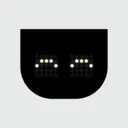
AWNA
A small but powerful notch for your Windows PC.
About
AWNA is a desktop application for Windows 10 and 11 that places a small, interactive black notch at the top of your screen. It is designed for Windows users who want quick access to everyday utilities without cluttering their workspace. The notch stays out of the way during fullscreen apps, games, and presentations, expanding only when hovered over to reveal useful features like a daily agenda, task manager, focus timer, music playback controls, system switches, app launchers, file shelf, clipboard history, and screen capture tools.
What makes AWNA different is its compact, unobtrusive design combined with local data storage. Your tasks, notes, alarms, and shelved files remain entirely on your PC without requiring an account or cloud sync. It features friendly LED eyes that react to your actions, supports quick capture via a keyboard shortcut, and runs without needing administrator rights.

Ready to launch?
Submit your product and get discovered by builders and creators worldwide.
Launch Now
FounderPlaybooks.
What other founders did to grow.
2722 dispatches from hundreds of founders, pulled from the week's best podcasts.
Our screenshots you know they're a bit stale. We have tried modernizing screenshots and 80% of the time when we do A/B tests they lose. People just like to see what they were used to seeing.
Stale Screenshots Win 80% of A/B Tests — Data Will Surprise Your Design Instincts
Super Unlimited ran extensive screenshot redesigns expecting modern gradients and bigger text to lift conversion — and lost 80% of those tests. Users consistently preferred the older, plainer designs they associated with the top-rated product they knew. Tanuj's lesson: in established categories with strong ASO position, changing visual identity to match trends is often a mistake. Let the data surprise you, and only ship the 20% of improvements the tests validate.
Don't just make generic call to actions like yeah just go check out the website. What we've been doing is we create specific call to actions so we make them sort of interactive not just a generic one and prompting them to do an action inside of the site.
Use Interactive CTAs That Prompt a Specific In-Product Action
Generic 'visit our website' CTAs leave viewers without a clear next step, reducing conversion. By crafting CTAs that direct users to complete a concrete action inside the product, Vasco reduced friction between watching a video and becoming an active user.
There's a play for whatever you're stuck on.
Read all 2722 playbooks
Comments
1Hello! AWNA is A Wee Notch App, designed for Windows PCs. It's available to download in beta now, so do try it and let me know your thoughts!