Gallery sites show you pretty pricing pages. They do not tell you why those pages convert. This article does: 20 of the best SaaS pricing pages in 2026, each decoded with the specific patterns that lift conversion and why.
We run BetterLaunch.co, a launch platform for indie founders. Here are 20 examples worth studying, the patterns that recur in the winners, and the 10 mistakes we see most often in the losers.
#TL;DR
- 9 patterns recur across almost every high-converting SaaS pricing page: 3-tier structure, "Most Popular" tag, monthly/annual toggle with discount, feature comparison table, FAQ, social proof near CTA, tier-specific CTA labels, money-back or guarantee note, and enterprise contact-sales tier.
- The winners make the middle tier visually dominant; 40 to 60% of paying customers should land there.
- Biggest conversion killer: unclear tier differences. Buyers abandon when they cannot quickly tell which tier fits.
- [BetterLaunch](https://betterlaunch.co/submit) — list your SaaS to get traffic to test pricing page iterations.
#9 patterns that recur across winning pricing pages
Across the 20 pages below, these 9 elements show up consistently:
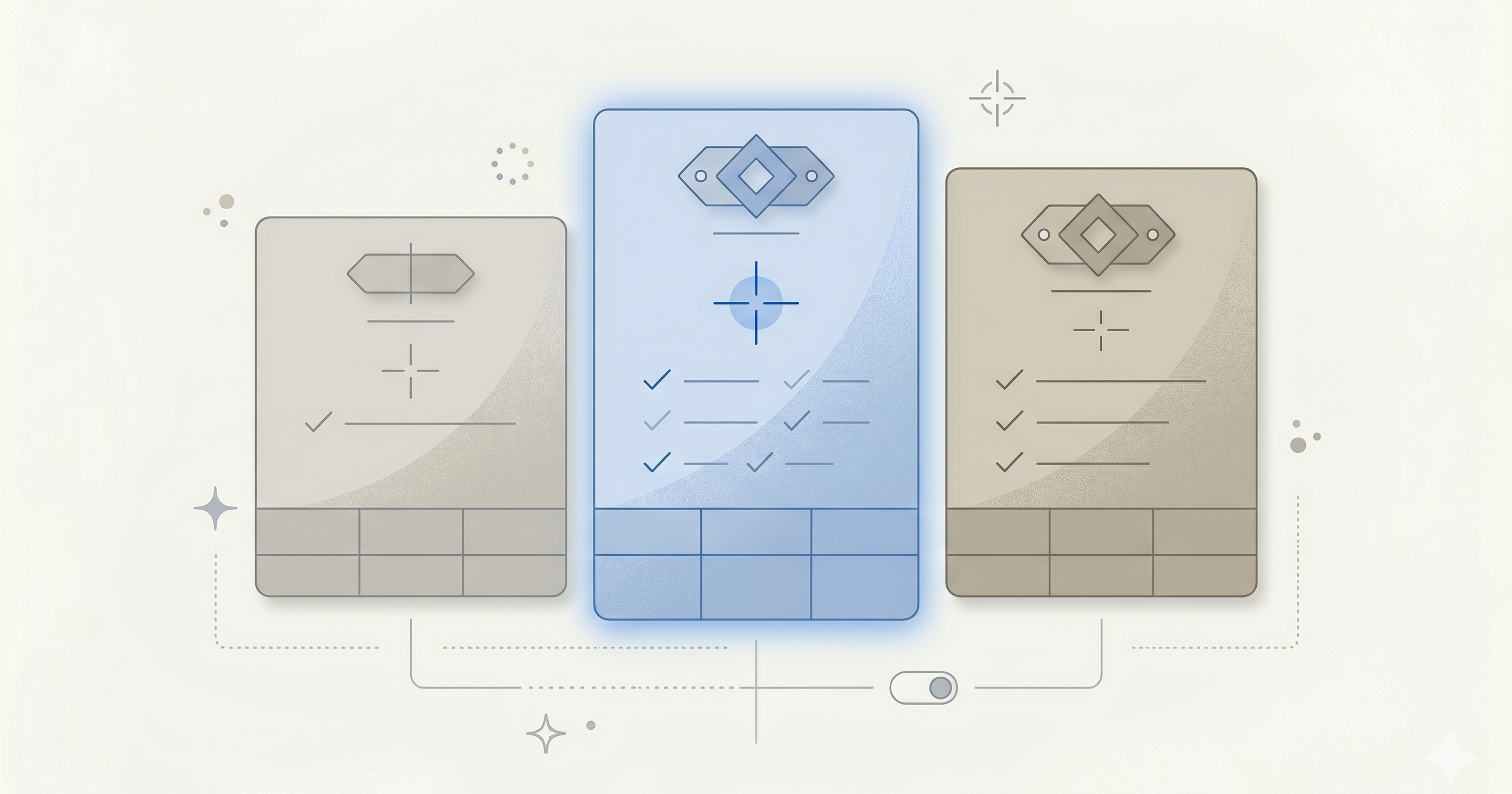
- Three-tier structure (Starter / Pro / Enterprise variants). Two is too few, four is decision paralysis.
- Visual hierarchy favoring middle tier. "Most Popular" badge, slightly larger card, color emphasis.
- Monthly / annual toggle with the annual discount explicitly shown ("Save 20%").
- Feature comparison table below the tier cards for detail-oriented buyers.
- FAQ section addressing the top 5 to 8 objections.
- Per-tier CTAs using clear action labels ("Start free," "Start trial," "Contact sales").
- Social proof adjacent to the CTA (customer count, logos, or testimonials).
- Money-back guarantee or reassurance near each CTA.
- Enterprise/custom tier with "Contact sales" for high-ACV buyers.
Every one of the 20 examples below implements at least 7 of these 9. The strongest implement all 9.
#20 pricing page examples decoded
#1. Linear
URL: linear.app/pricing
Tiers: Free / Basic ($8) / Business ($14) / Enterprise.
What works:
- Clean 3-tier layout with "Plus" highlighted.
- Monthly/annual toggle with "Save 25%" annual discount.
- Comparison table below with clear feature check marks.
- Short, benefit-led feature names ("Unlimited members," not "Member provisioning SLA").
What to borrow: the clarity of tier names and feature labels. No jargon.
#2. Notion
URL: notion.so/pricing
Tiers: Free / Plus ($10) / Business ($15) / Enterprise.
What works:
- Personas called out at top ("For individuals," "For small teams," etc.).
- Feature comparison table is exhaustive and well-structured.
- Strong annual discount visualization.
What to borrow: the persona-based framing. Helps buyers self-sort before comparing features.
#3. Stripe
URL: stripe.com/pricing
Tiers: Integrated (per-transaction) / Customized.
What works:
- Usage-based pricing made transparent with a calculator.
- Volume discounts visible.
- Clear "Start now, talk to sales later" CTA.
What to borrow: the calculator pattern for usage-based SaaS. Removes billing anxiety.
#4. Superhuman
URL: superhuman.com/pricing
Tiers: Starter ($25) / Business ($33) / Enterprise.
What works:
- Premium pricing reinforced by design (dark mode, elegant type).
- Per-user pricing with team expansion messaging.
- Subtle scarcity ("Join the waitlist") in earlier versions.
What to borrow: premium positioning works when design, copy, and price align.
#5. Figma
URL: figma.com/pricing
Tiers: Starter (free) / Professional ($15) / Organization ($45) / Enterprise.
What works:
- Free tier is generous and genuinely useful (the Figma model).
- Clear feature distinction between collaboration tiers.
- Per-editor model avoids per-viewer inflation.
What to borrow: generous free tier when viral dynamics are real; per-editor pricing when usage is lopsided.
#6. Intercom
URL: intercom.com/pricing
Tiers: Essential / Advanced / Expert + Proactive Support + Fin AI Agent.
What works:
- Modular pricing lets buyers construct their own bundle.
- Clear outcome framing ("Drive efficiency," "Grow revenue").
- Usage-based AI component priced separately.
What to borrow: modular pricing for products with clearly separable components.
#7. Basecamp
URL: basecamp.com/pricing
Tiers: Basecamp ($15/user) / Basecamp Pro Unlimited ($299/month flat).
What works:
- Two options: standard per-user or flat rate for larger teams.
- Flat rate clearly positions as value for larger orgs.
- Transparent about when each tier makes sense.
What to borrow: the flat-rate alternative for mid-market that removes per-seat math.
#8. Slack
URL: slack.com/pricing
Tiers: Free / Pro ($7.25) / Business+ ($12.50) / Enterprise Grid.
What works:
- Clear per-seat pricing.
- Free tier has meaningful feature caps without feeling crippled.
- Enterprise Grid positioning for large orgs with compliance needs.
What to borrow: the Pro/Business+/Enterprise naming is now an industry convention.
#9. HubSpot
URL: hubspot.com/pricing
Tiers: Free / Starter / Professional / Enterprise + per-hub pricing.
What works:
- Complex product handled by per-hub structure (Marketing, Sales, Service, CMS).
- Each hub has clear 4-tier pricing.
- Bundle option ("Growth Suite") for multi-hub buyers.
What to borrow: per-module pricing structure for broad SaaS with distinct capability sets.
#10. Webflow
URL: webflow.com/pricing
Tiers: Starter (free) / Basic / CMS / Business + separate Workspace plans.
What works:
- Clean separation of Site Plans vs Workspace Plans.
- Visual distinction per tier without overwhelming.
- Ecosystem pricing (Workspace for agencies, Site for individual projects).
What to borrow: separation of customer-type pricing for multi-audience SaaS.
#11. Vercel
URL: vercel.com/pricing
Tiers: Hobby (free) / Pro ($20) / Enterprise.
What works:
- Developer-friendly language.
- Clear usage caps per tier.
- Additional usage pricing transparent beyond caps.
What to borrow: the "Hobby" tier name for developer tools (builds goodwill with the target audience).
#12. Framer
URL: framer.com/pricing
Tiers: Free / Basic / Pro / Enterprise.
What works:
- Tier structure oriented around site count and features.
- Excellent visual polish (on brand for a design tool).
- Clear upgrade path from free.
What to borrow: aligning visual design of the pricing page itself with the product's design sensibility.
#13. Raycast
URL: raycast.com/pro
Tiers: Free / Pro ($8) / Business ($12) / Enterprise.
What works:
- Pro tier features listed as outcomes ("Ask AI anywhere," "Sync across devices").
- Developer/power-user tone throughout.
- Annual pricing clearly discounted.
What to borrow: outcome-focused feature naming. "Ask AI anywhere" is more compelling than "AI integration."
#14. Typefully
URL: typefully.com/pricing
Tiers: Free / Pro.
What works:
- Simple two-tier, contrarian to the 3-tier convention.
- Works because the product is focused enough not to need a middle tier.
- Transparent limits.
What to borrow: two tiers can work for narrow products; do not force three tiers if your feature set does not support it.
#15. Loom
URL: loom.com/pricing
Tiers: Starter (free) / Business / Business + AI / Enterprise.
What works:
- AI priced as separate tier reflects real cost structure.
- Usage caps clear (video count, length).
- Starter is generous enough to hook.
What to borrow: separate AI tier when LLM costs are material; users understand and accept the logic.
#16. Productboard
URL: productboard.com/pricing
Tiers: Essentials / Pro / Scale / Enterprise.
What works:
- Maker-count-based pricing aligned with value delivered.
- Strong comparison table with concrete feature descriptions.
What to borrow: role-count-based pricing (makers, viewers) for collaboration tools.
#17. Pitch
URL: pitch.com/pricing
Tiers: Starter / Pro / Enterprise.
What works:
- Clean, visual design befitting a presentation tool.
- Minimal friction — short feature lists on the cards, deep comparison table below.
What to borrow: keep the cards simple; let the comparison table do the detail work.
#18. Motion
URL: usemotion.com/pricing
Tiers: Individual / Business.
What works:
- Two clear audiences; two clear plans.
- Annual pricing heavily incentivized.
What to borrow: when your product has exactly 2 ICPs, a 2-tier structure can be cleaner.
#19. Tinybird
URL: tinybird.co/pricing
Tiers: Free / Build / Pro / Enterprise.
What works:
- Usage-based (requests, storage) with volume discounts.
- Free tier offers real production capability.
What to borrow: developer-tool pricing needs a free tier with genuine utility, not a crippled demo.
#20. Carrd
URL: carrd.co/pricing
Tiers: Free / Pro Lite ($9/yr) / Pro Standard ($19/yr) / Pro Plus ($49/yr).
What works:
- Annual pricing clearly positioned (monthly is the "odd" option here).
- All-paid tiers under $50/year.
- Simple positioning matches the simple product.
What to borrow: radical pricing simplicity can be a feature. Carrd's $19/year positioning is a moat.
#10 pricing page mistakes we see repeatedly
- Four or five tiers. Decision paralysis. Stick to three.
- "Most Popular" tag on the wrong tier. Should be the middle tier 90% of the time.
- Hiding the price. "Contact us for pricing" kills self-serve under $10K ACV.
- No monthly/annual toggle. Forces buyers into a commitment without context.
- Annual pricing shown as "$240/year" instead of "$20/month billed annually." Psychological anchoring matters.
- Feature names that require explanation. "AI-powered synergy layer" is worse than "Unlimited AI queries."
- Identical CTA copy on every tier. Should vary to match tier intent.
- No social proof on the pricing page. Customers are most skeptical right before paying.
- Long pricing page copy above the tiers. Buyers scroll past copy to see prices; push copy below.
- No FAQ. Final-step objections go unanswered, conversion drops 10 to 20%.
#How to design your pricing page (5-step template)
Not from scratch; borrow from the best:
Step 1: Pick 3 competitors with similar price points. Screenshot their pricing pages.
Step 2: Build a Starter / Pro / Business 3-tier structure. Default if not sure.
Step 3: Write feature lists as outcomes ("Ship faster," not "Kanban board").
Step 4: Add monthly/annual toggle with 15 to 20% annual discount.
Step 5: Add FAQ and final CTA block below the tiers.
Ship. Iterate based on data after 200+ pricing page visits.
#Pricing page conversion benchmarks
- Landing page → pricing page: 40 to 70% (most visitors scroll here).
- Pricing page → signup / trial: 5 to 15% for healthy SaaS.
- Pricing page → paid customer: 1 to 5% (higher for products with direct-to-paid flows).
If pricing-page-to-signup is below 3%, the page has a conversion problem, not the product.
#FAQ
How many tiers should a pricing page have? Three is the standard. Four creates decision paralysis. Two can work for narrowly-focused products.
Should the middle tier be labeled "Most Popular"? Yes, almost always. 40 to 60% of paying customers should land on the middle tier; labeling reinforces this.
Should I show annual or monthly prices by default? Show both, defaulting to annual display (shows the smaller number). Include a clear toggle.
Do I need an enterprise tier? If your product has enterprise buyers at $5K+ ACV, yes. If not, skip it; a fake enterprise tier on a $20 indie SaaS hurts credibility.
Should I list features as benefits or functions? Benefits (outcomes) outperform functions. "Ship faster" beats "Kanban board with automations."
Is a money-back guarantee worth it? For most indie SaaS under $100/month, yes. Lifts conversion 5 to 20%; actual refund rate is typically under 5%.
How often should I update my pricing page? Review every 90 days. Major redesigns every 12 to 18 months or when pricing changes.
Should I A/B test pricing? At indie scale, usually no. Sample sizes are too small; run sequential tests (change one thing, measure for 2 to 4 weeks). Proper A/B testing is worth it only above ~5,000 pricing-page visits per month.
#Summary
Pricing pages that convert are disciplined, not creative. Borrow the 9 recurring patterns from the 20 examples above, apply them to your structure, then iterate on copy and tier differentiation.
While you iterate on your pricing page, drive traffic to it. List your SaaS on BetterLaunch to test your pricing page with real indie-founder traffic.
List your SaaS on BetterLaunch →